Azure Service Bus,
on your Mac.
And in your pocket.

A native Azure Service Bus explorer for Mac, iOS and Android. Inspect messages, send test payloads and investigate dead-letter queues—at your desk or from your phone.

Free to download. Pro for recovery and batch workflows.

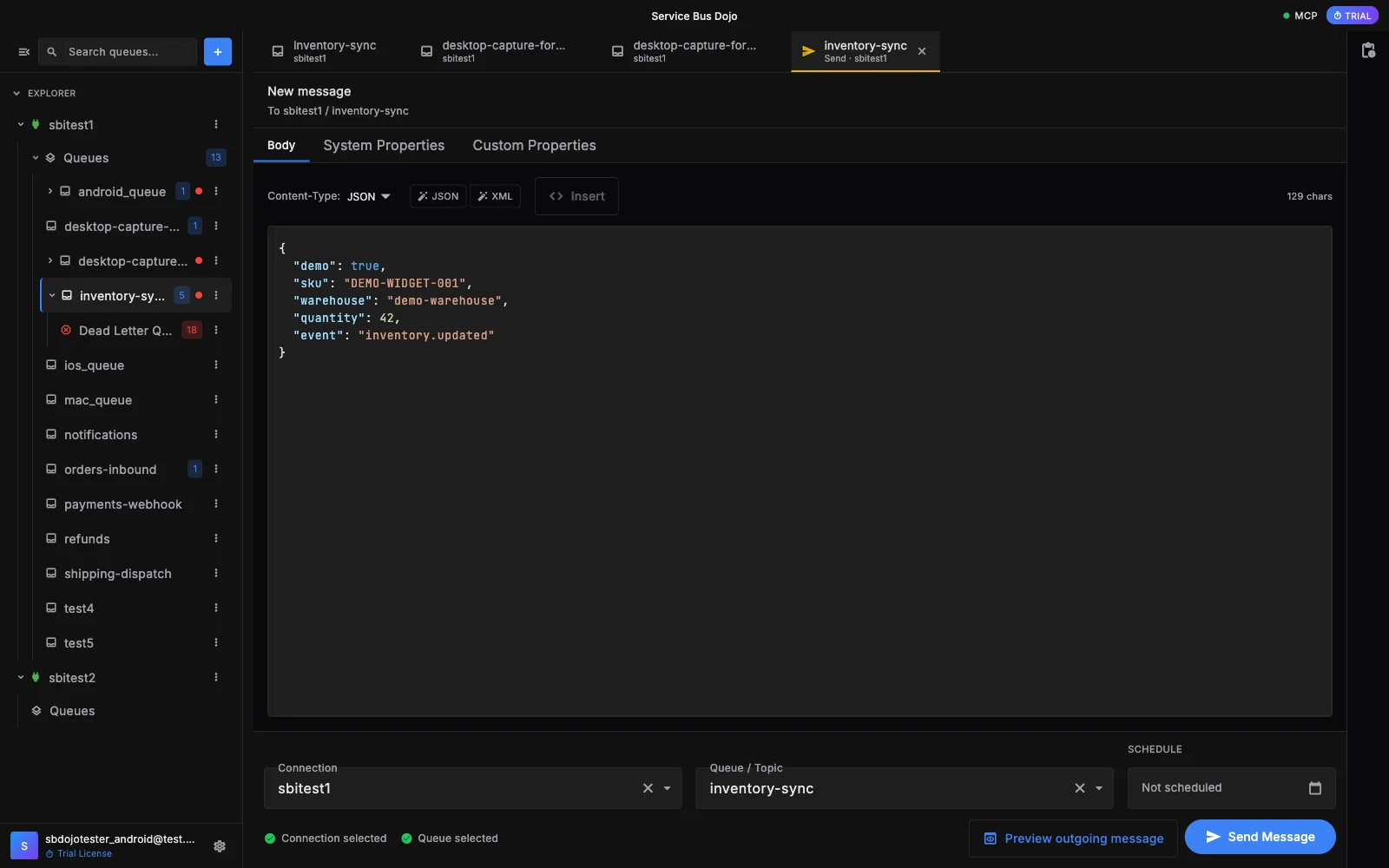
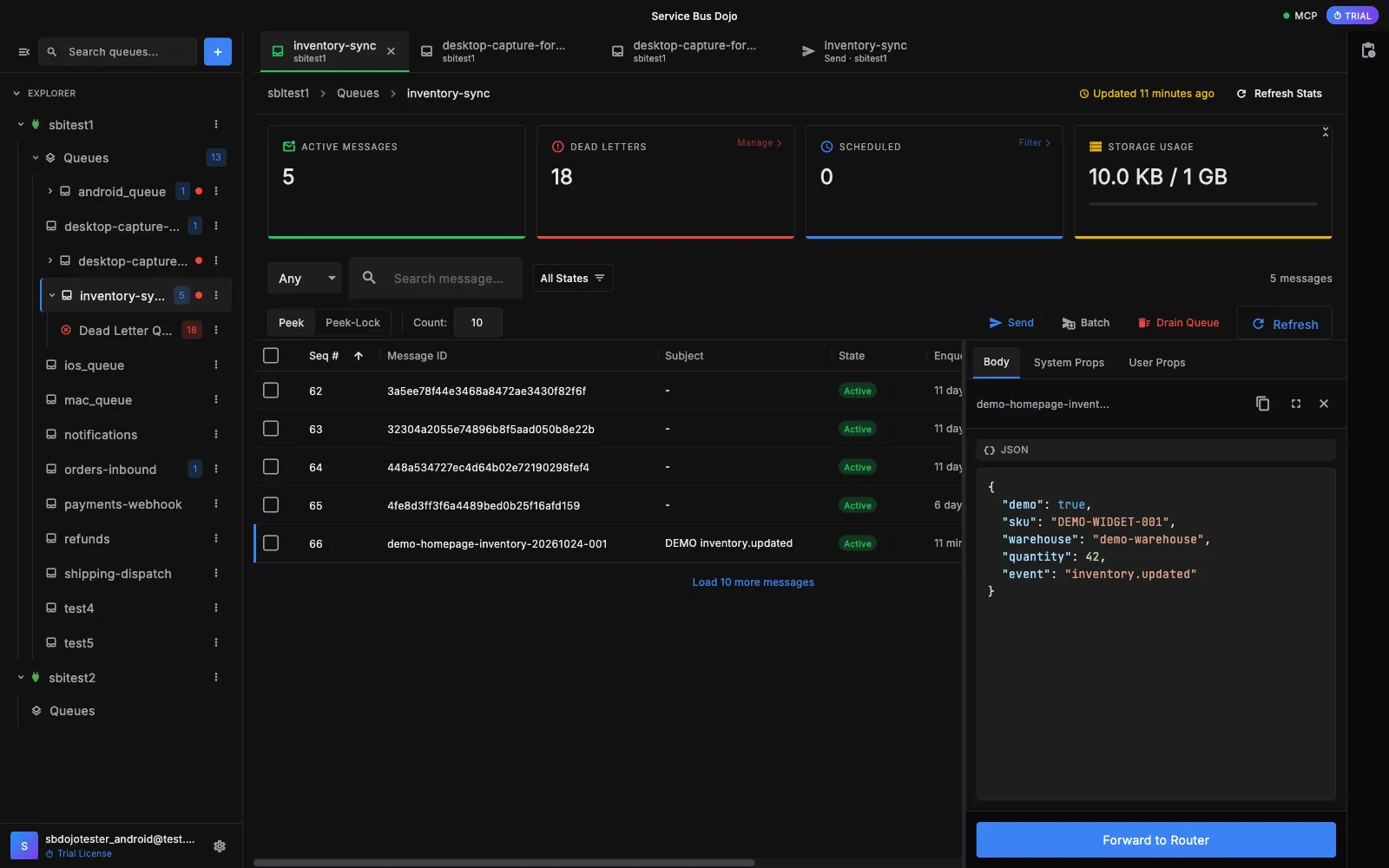
Mac app showing inventory-sync queue messages and a JSON inventory payload open in the inspector. Demo data.
Inspect messages. Keep the queue, message and payload in view.macOS · Demo data

Screenshots only—no live queue operations.

Get from “what happened?”
to the message.

Work with Azure Service Bus queues. Keep the payload and its properties close to the operation you’re investigating.

Inspect without consuming

Peek at messages and read their bodies, system properties and custom properties without removing them from the queue. Receive in peek-lock mode when you need to act on a message.

Peek is non-destructive. Completing a received message removes it.

Send a test payload

Send a single message to test your workflow. Use Pro batch sending when you need multiple messages rather than repeating the same operation by hand.

Single-message sending is included in Free.

Understand dead letters

Open the dead-letter queue to inspect failed messages. With Pro, resubmit messages to the active queue when you’re ready to retry processing.

DLQ viewing is Free. Resubmitting is Pro and changes live queue state.

Your queues don’t
stay at your desk.

Neither should your tools. Open a queue, inspect a payload and send a message from a native app on your iPhone, iPad or Android device.

The only dedicated native iOS and Android client we’ve found for Azure Service Bus.

Based on our October 2026 search for native mobile clients; browser-based tools also exist.

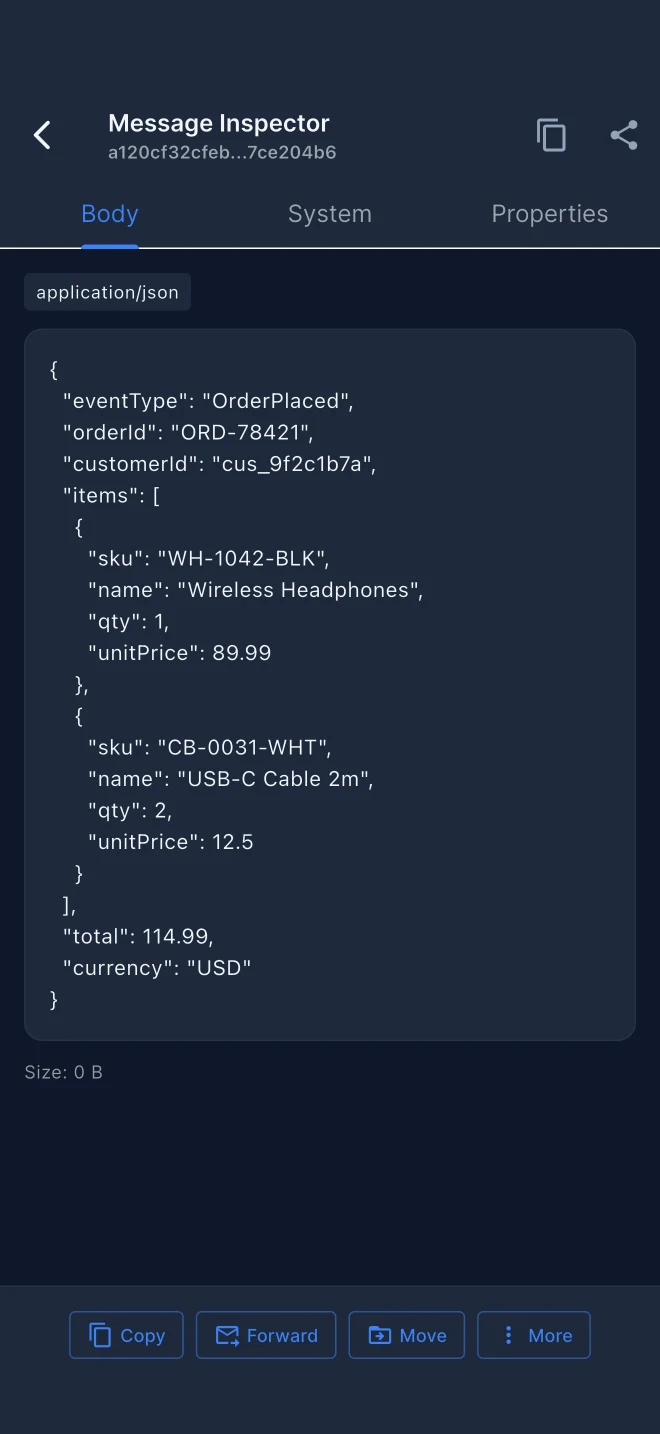
iOS message inspector showing a formatted JSON order payload with synthetic demo data.
iOS · Inspect a payload
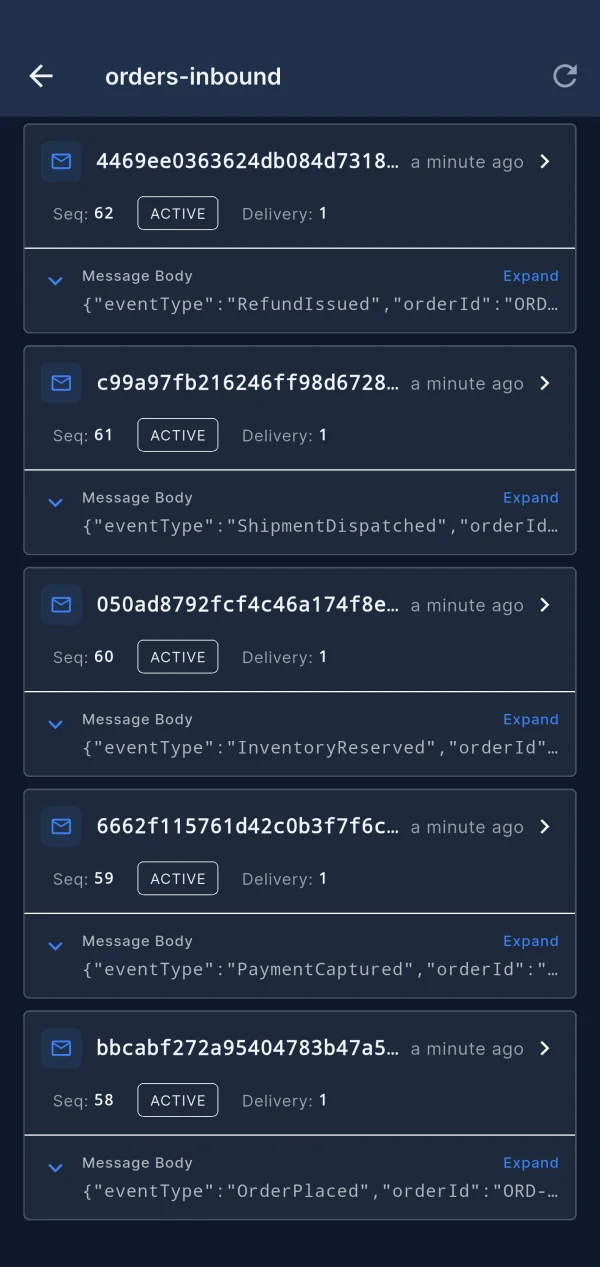
Android message list showing messages available to inspect in a demo queue.
Android · Browse messages

Start with inspection.
Add Pro when you need it.

The everyday essentials are free. Pro adds recovery, batch operations and desktop AI-assistant integration. See current upgrade terms in the app.

Free

Connect, inspect and test.

  • Save connections and browse queues
  • Peek and receive messages
  • Inspect message bodies and properties
  • Send single messages
  • View dead-letter queues

Pro

Everything in Free, plus:

  • Resubmit dead-letter messages
  • Batch message sending
  • Move messages between queues
  • Drain queues, with human confirmation
  • Desktop MCP server for AI assistants

Before you connect.

What do I need to connect?

An Azure Service Bus namespace and a connection string with permissions for the operations you intend to perform. Use a test namespace when trying send, receive or recovery workflows. Never share connection strings in support requests.

Does this work with topics and subscriptions?

Not yet. Topics and topic subscriptions are not ready. The workflows shown here are for queues; Dojo Pro refers to the app’s paid plan, not an Azure topic subscription.

Will inspecting a message delete it?

Not when you use Peek. Receiving acquires a message lock; completing the received message removes it. Moves, resubmission and draining also change message state, so choose the operation deliberately.

Which platforms can I download today?

macOS, iOS and Android. Choose the Mac App Store or the direct Mac download, the App Store for iPhone and iPad, or Google Play for Android. Windows and Linux are not offered here.

Is this a Microsoft product?

No. Service Bus Dojo is an independent app from AhyaanTech for working with Microsoft Azure Service Bus. Need help? Visit support.

Choose your screen.
Explore your Service Bus.

Mac

Mac App Store

For a direct Mac download, enable JavaScript. The Mac App Store link works without it.

iPhone & iPad

Download on the App Store

Native iOS and iPadOS app.

Android

Get it on Google Play

For your Android phone or tablet.